
Fleet inventory
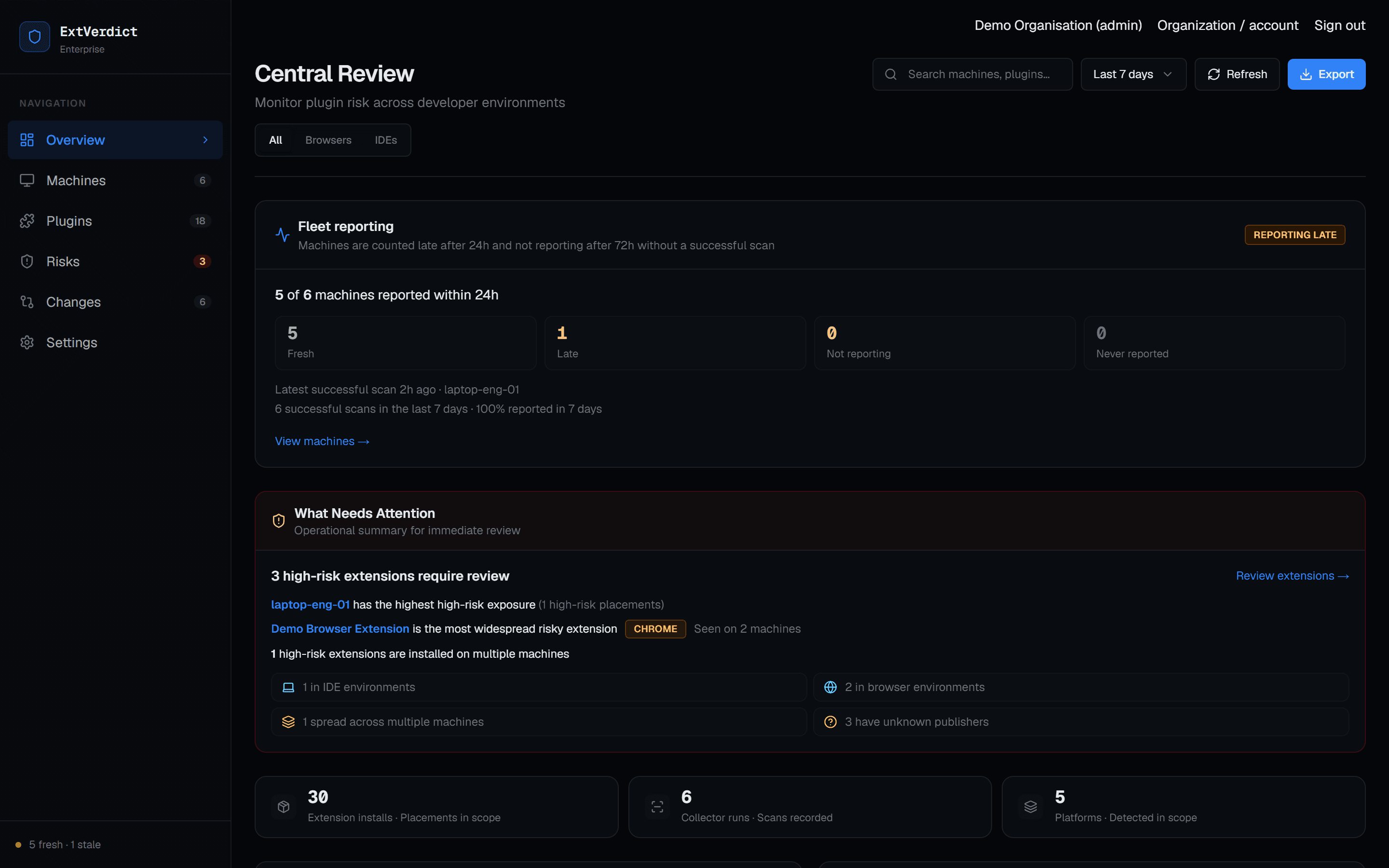
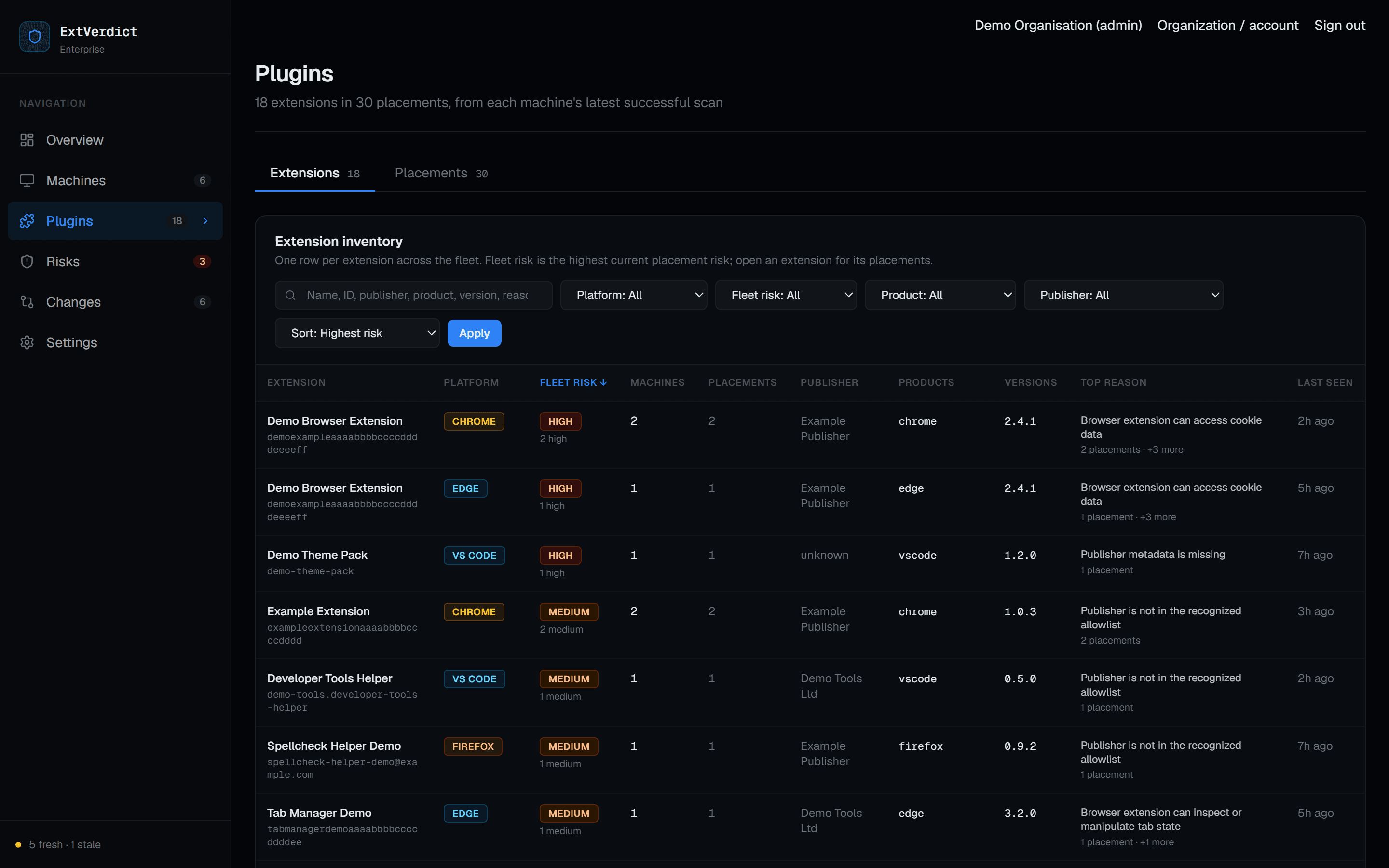
Every browser extension and IDE plugin, per machine, profile and product, with its version and, where the platform exposes them, permissions and enabled state. Changes between scans are kept as history.
Browser extensions · IDE plugins · Browser & IDE context
Discover browser extensions and IDE plugins across your fleet, understand their security posture, and take evidence-backed action.
Visibility
Browser extensions are installed by people in every role, not just engineering. IDE plugins sit next to source code, credentials and build tooling. Both change quietly: new installs, new versions, new permissions.
Across many machines, profiles and products, it is hard to answer simple questions. What is installed, where, and at which version? What can it access? Is anything known to be vulnerable, and what should happen next?
How it works
ExtVerdict separates what is observed, what is known about it, and what you decide to do.
The ExtVerdict Agent reports installed extensions and plugins, and the browsers and IDEs they run in, from each machine.
ExtVerdict applies heuristic review today, with vulnerability intelligence and browser & IDE context rolling out, keeping each source visible.
As remediation guidance rolls out, you get source-backed guidance for the action that fits, carried out through your own management workflow.
A later scan confirms the outcome from endpoint evidence. Nothing is marked resolved by hand.
Capabilities
Each result carries its evidence and source. Unknown is shown as unknown, never as safe.
Every browser extension and IDE plugin, per machine, profile and product, with its version and, where the platform exposes them, permissions and enabled state. Changes between scans are kept as history.
A heuristic risk level for each extension, with the specific reasons behind it. It is labelled as review signals, never presented as confirmed threat intelligence.
Rolling out
Built to match known advisories to the exact extension identity and version from trusted sources. Rolling out first for VS Code-family and Firefox extensions; everywhere else reads as not covered, never as clean.
In development
The browser or IDE each extension runs in: its installed version and release channel, compared with official vendor releases and security advisories where a trusted source exists. Part of the intelligence layer ExtVerdict is building next.
Extension findings carry their evidence, source and freshness today, so a result can always be traced back to why it exists. Browser and IDE findings join them as that part of the product develops.
Rolling out
A recommended action with exact steps for the management tool you already use, what it does to existing and future installations, how to roll back and how to verify. Rolling out across supported platforms.
Coverage
ExtVerdict inventories extensions and plugins, and the browsers and IDEs they run in, across these products.
Extensions in every browser profile, with permissions and enabled state where the browser exposes them.
Extensions per editor, including forks that share the VS Code extension format.
User-installed plugins per IDE product and configuration.
Browser extensions are read from each browser's stable channel. Vulnerability intelligence and browser & IDE security context are rolling out for a narrower, source-dependent set of products; everything else is labelled not covered.
Security
The ExtVerdict Agent observes and reports. It does not uninstall software, modify policy or execute remote commands. Remediation stays in your approved management workflows.
How ExtVerdict handles securityRemediation
Turn findings into clearer next steps, with source-backed remediation guidance rolling out across supported platforms. For a finding, ExtVerdict recommends an action and shows exactly how to carry it out through your approved management workflow. Disabling, blocking and removing are different outcomes, and they differ by browser and tool, so every recipe states its effect before its steps.
Move to a version that no longer matches the advisory.
Stop it running while it stays installed.
Remove the existing installation from a machine or profile.
Use the browser's or IDE's own policy to prevent it being installed again.
Confirm the result on the next scan, from what the endpoint reports.
ExtVerdict does not connect to or change these tools. You apply the guidance; a later scan verifies the result.
In the Portal
Recommendations in the ExtVerdict Portal follow one structure, so they can be reviewed before anyone acts on them.
Talk to us about your browsers, IDEs and management tooling. We'll show you what ExtVerdict finds and how it explains it.